

The number is only the beginning.
Coming soon
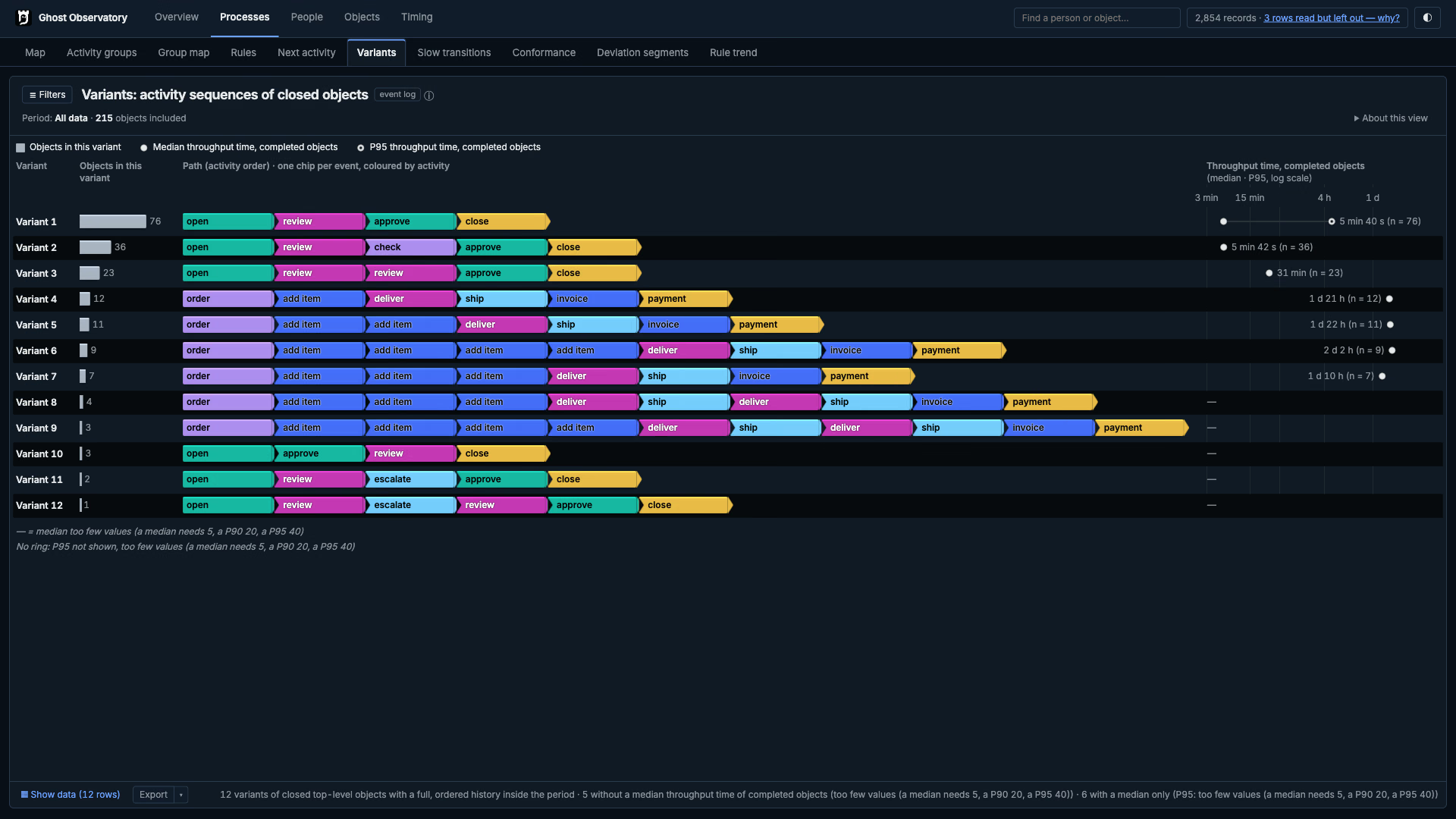
Open the process path. Inspect the work object. Compare the recorded work and check the control. The current Reader preview has 5 workspaces and 31 views, with source records behind each finding.
Published sample / 300 claims
Every claim. Every rule result.
Explore the role-separation check across the synthetic claims sample. Each mark represents one work object, positioned by its recorded lead time. The Engine’s result remains the source; the website only draws the records.
All 300 claims in the published sample. A separate right-hand column means lead time is unavailable, not zero.
- Rule hit
- 109
- Checked, no hit
- 115
- Not checked
- 76
WebGPU rendering is optional; the published counts and Reader screenshots remain available without it.
The check asks whether the same recorded person assessed and approved a claim. “Not checked” means one or both required person-bearing steps were not available for this check. It does not mean the claim is open. Inspect the SQLite result and source files →
01 / Reader tour
5 workspaces. One result file.
Follow the flow of work, inspect an individual object and compare the time behind each activity. These six selected views show the same development demo in dark mode.
Engine 19.0.0rc597 · Captured 1 November 2026. The downloadable claims sample is a separate, earlier example.
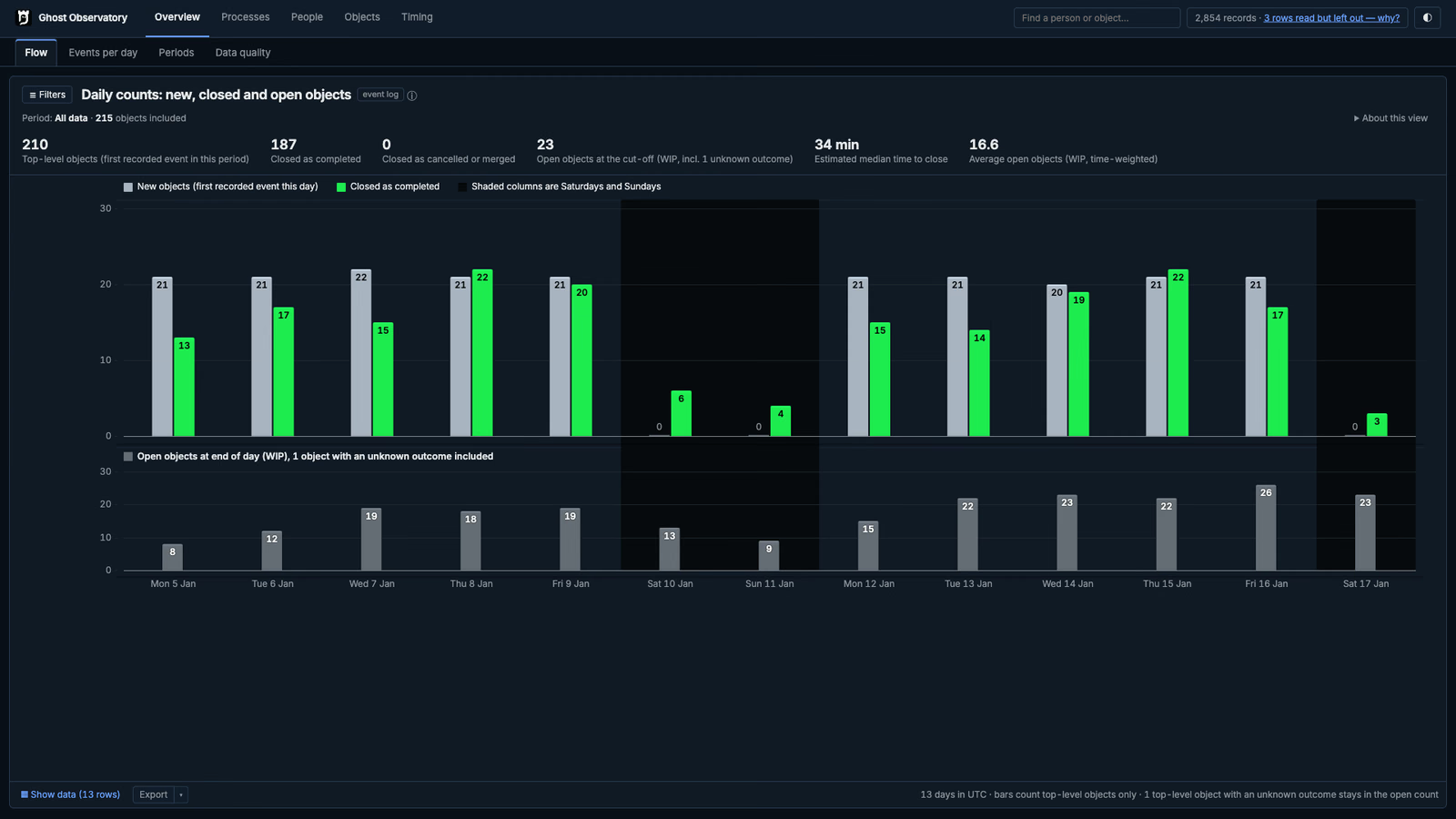
Overview · Flow
See new and completed work objects by day, with open work shown below. Weekend shading keeps the calendar visible.
Inspect the screenshot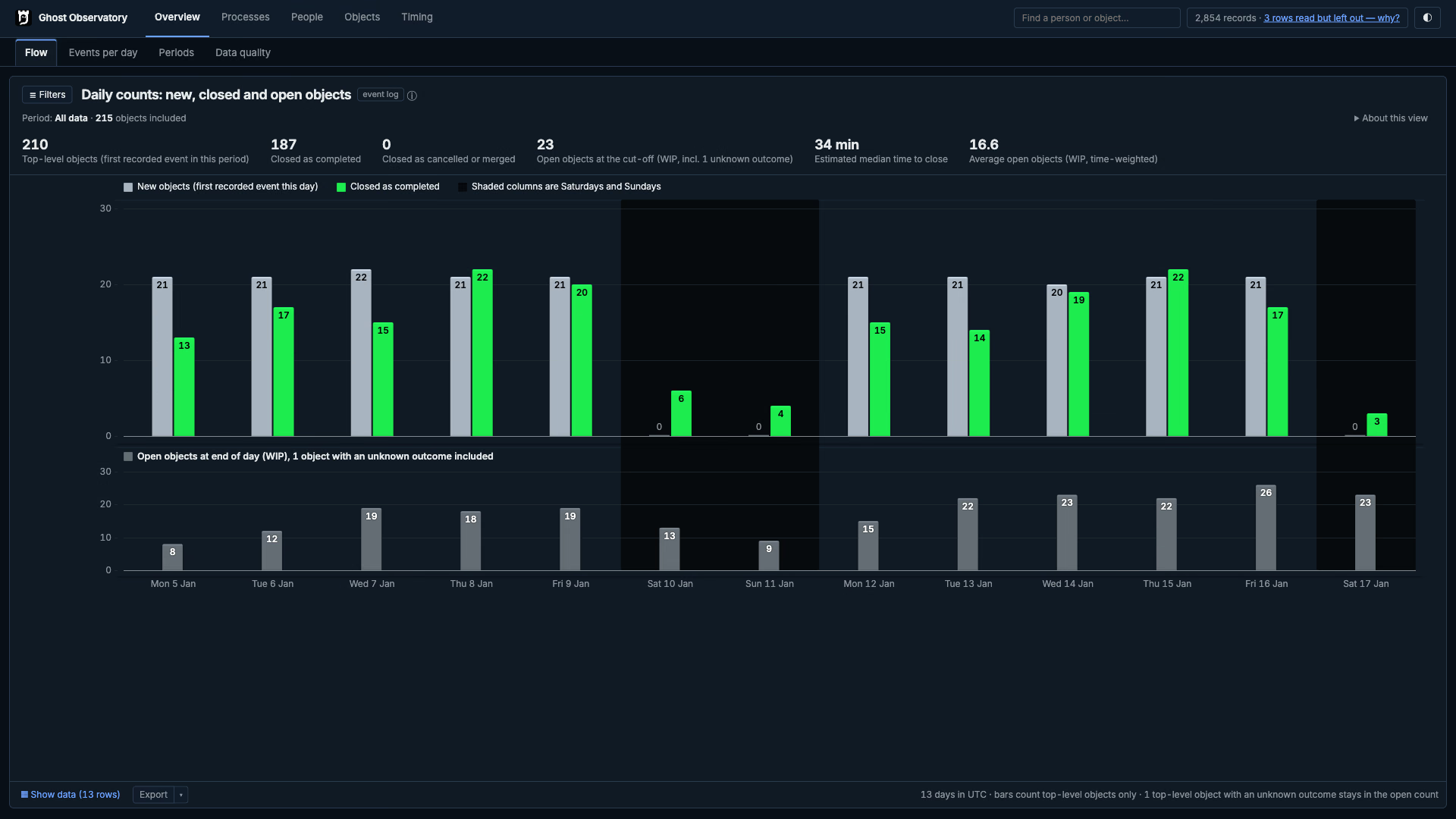
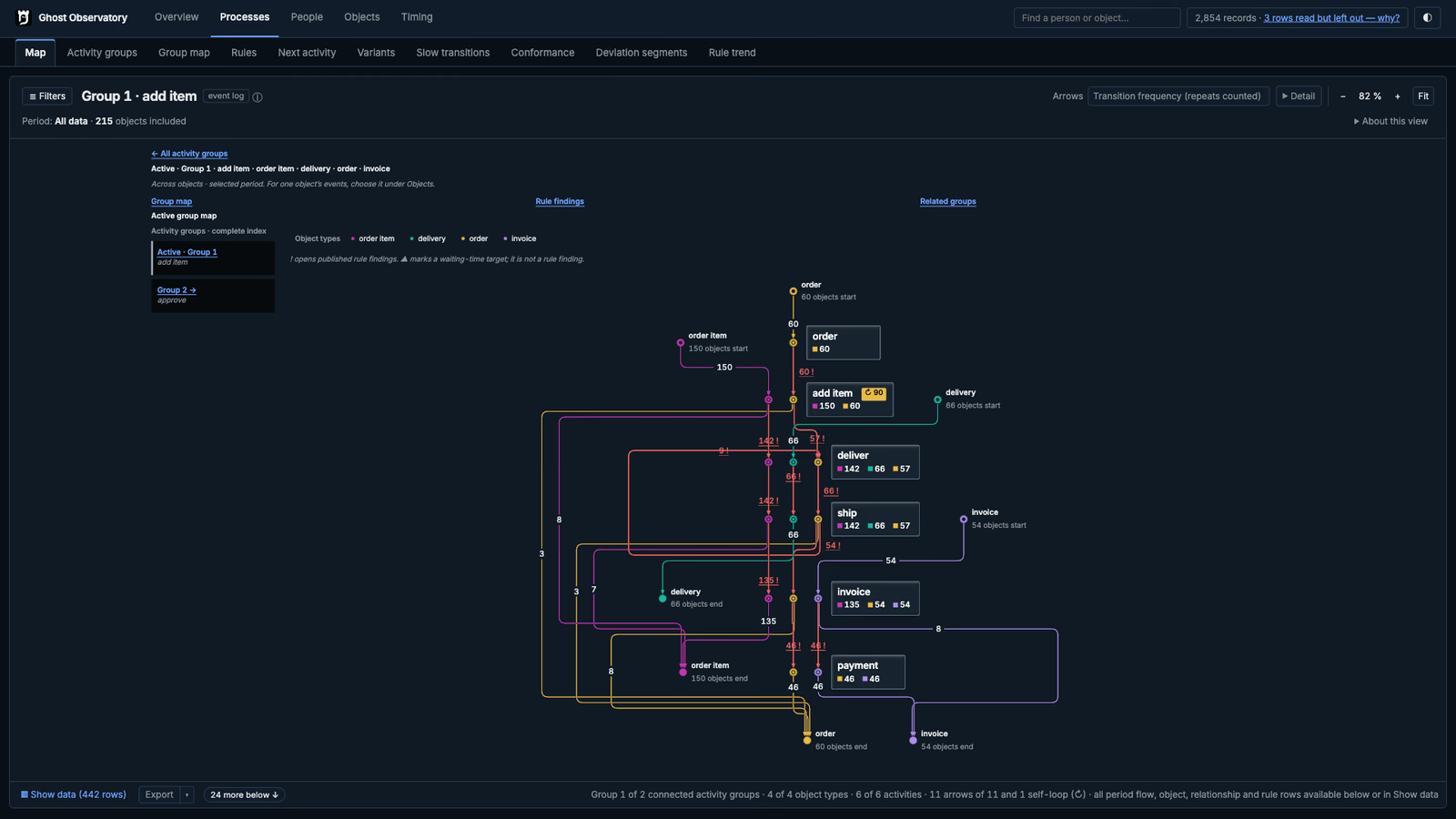
Processes · Object-centric map
Every step and every transition between steps, drawn from the recorded events. Follow order items, deliveries, orders and invoices through their shared activities.
Inspect the screenshot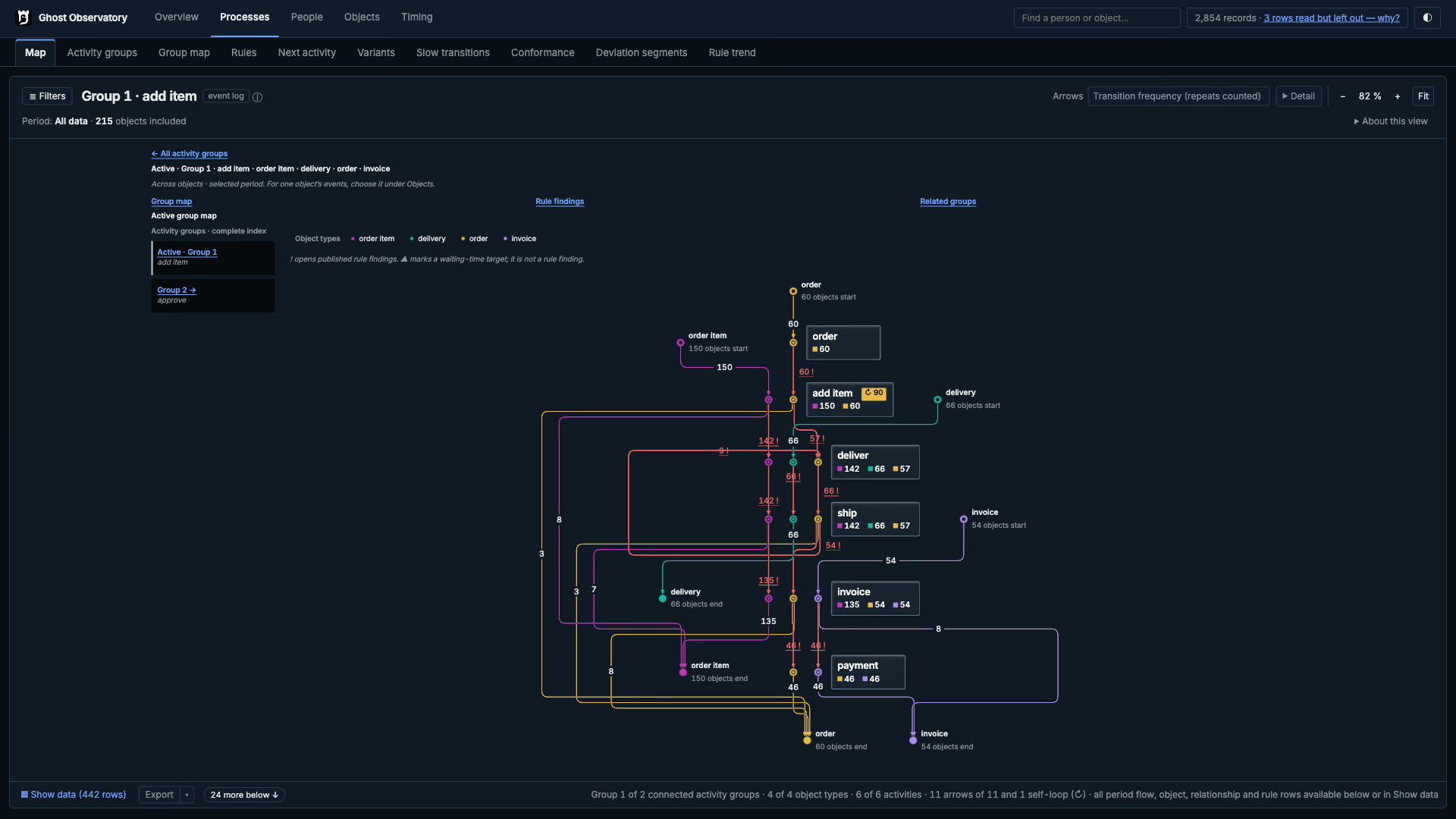
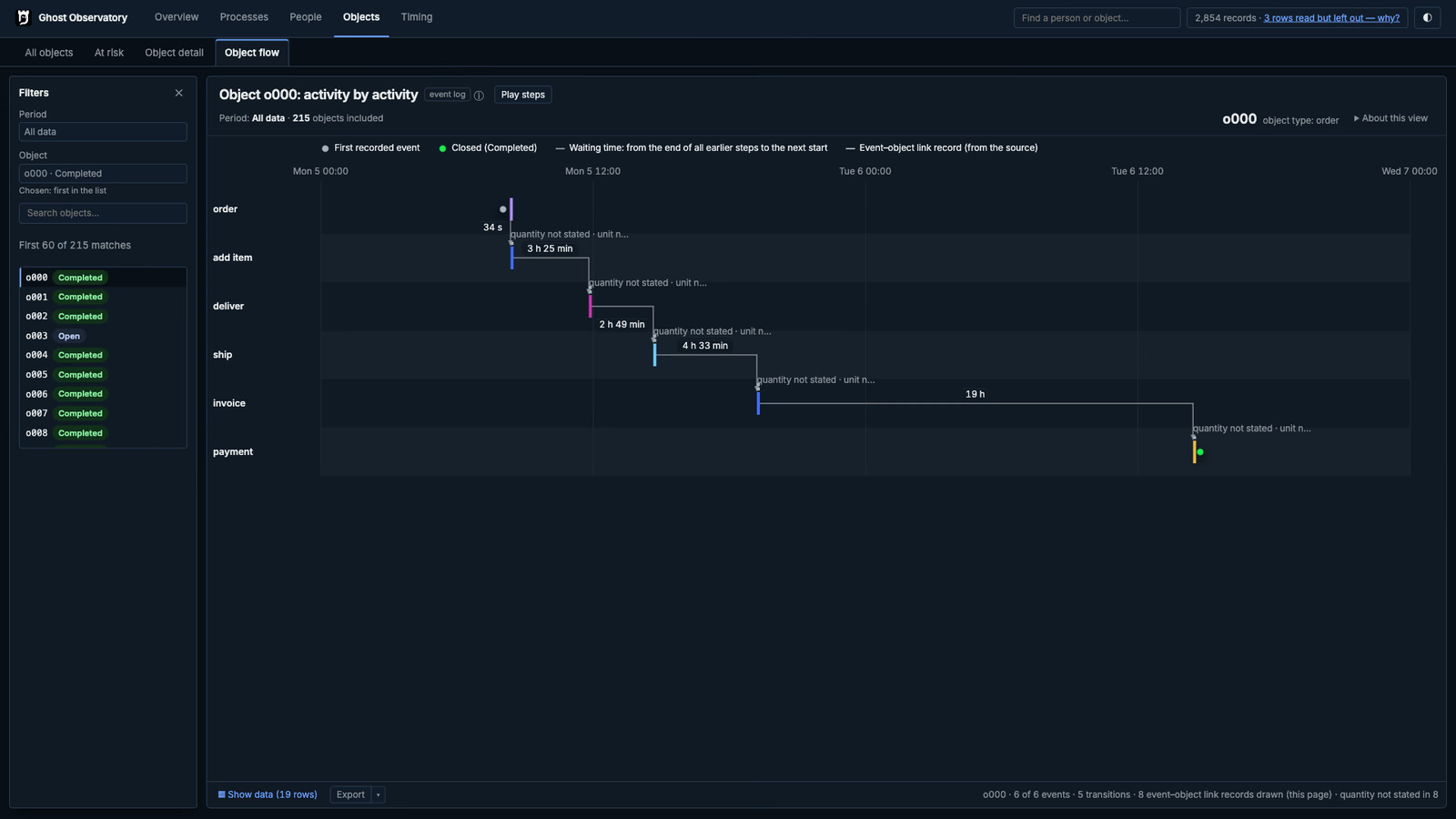
Objects · Object flow
Follow one work object from its first recorded event to completion. Read the activity sequence and the waits between steps.
Inspect the screenshot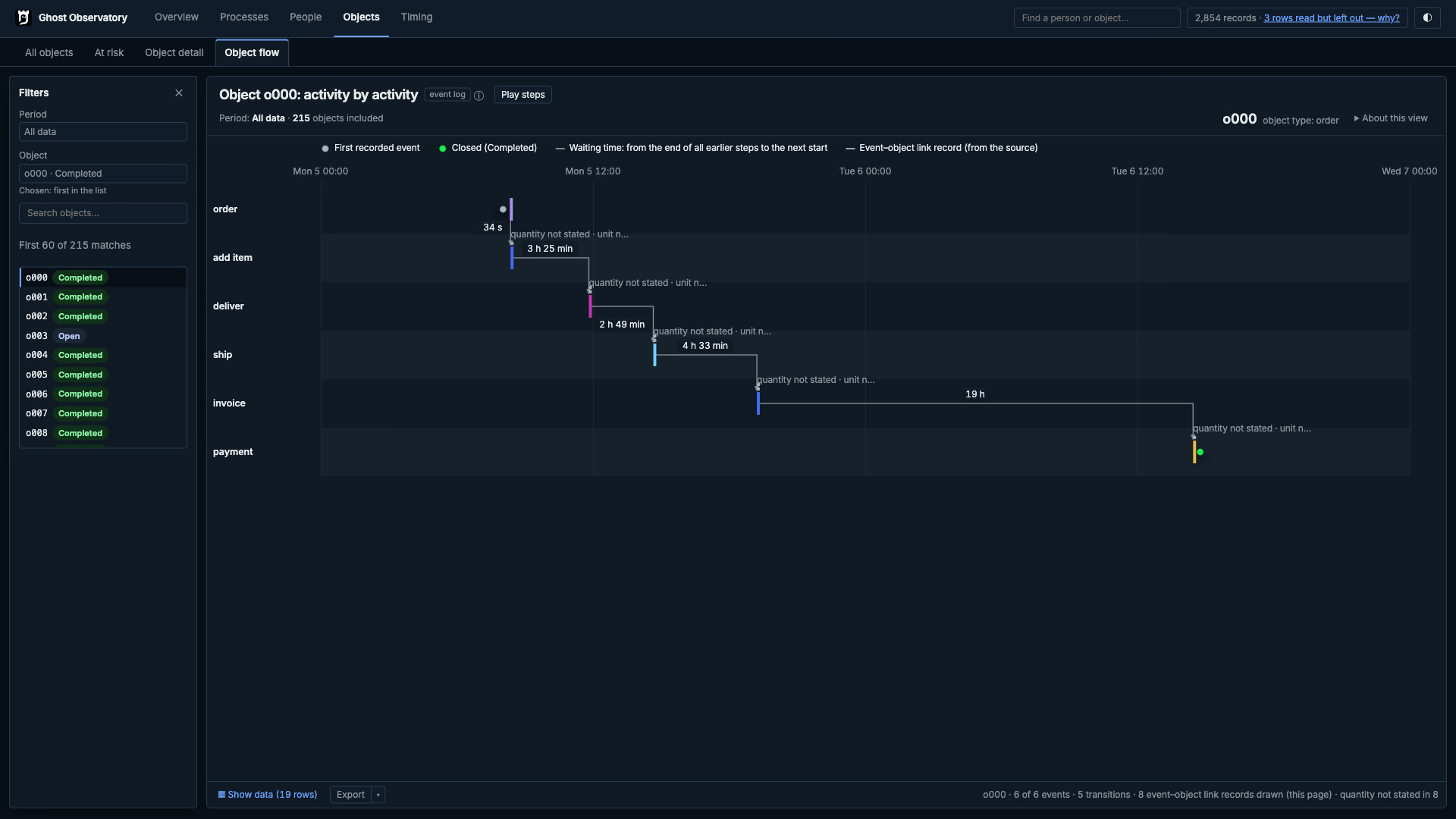
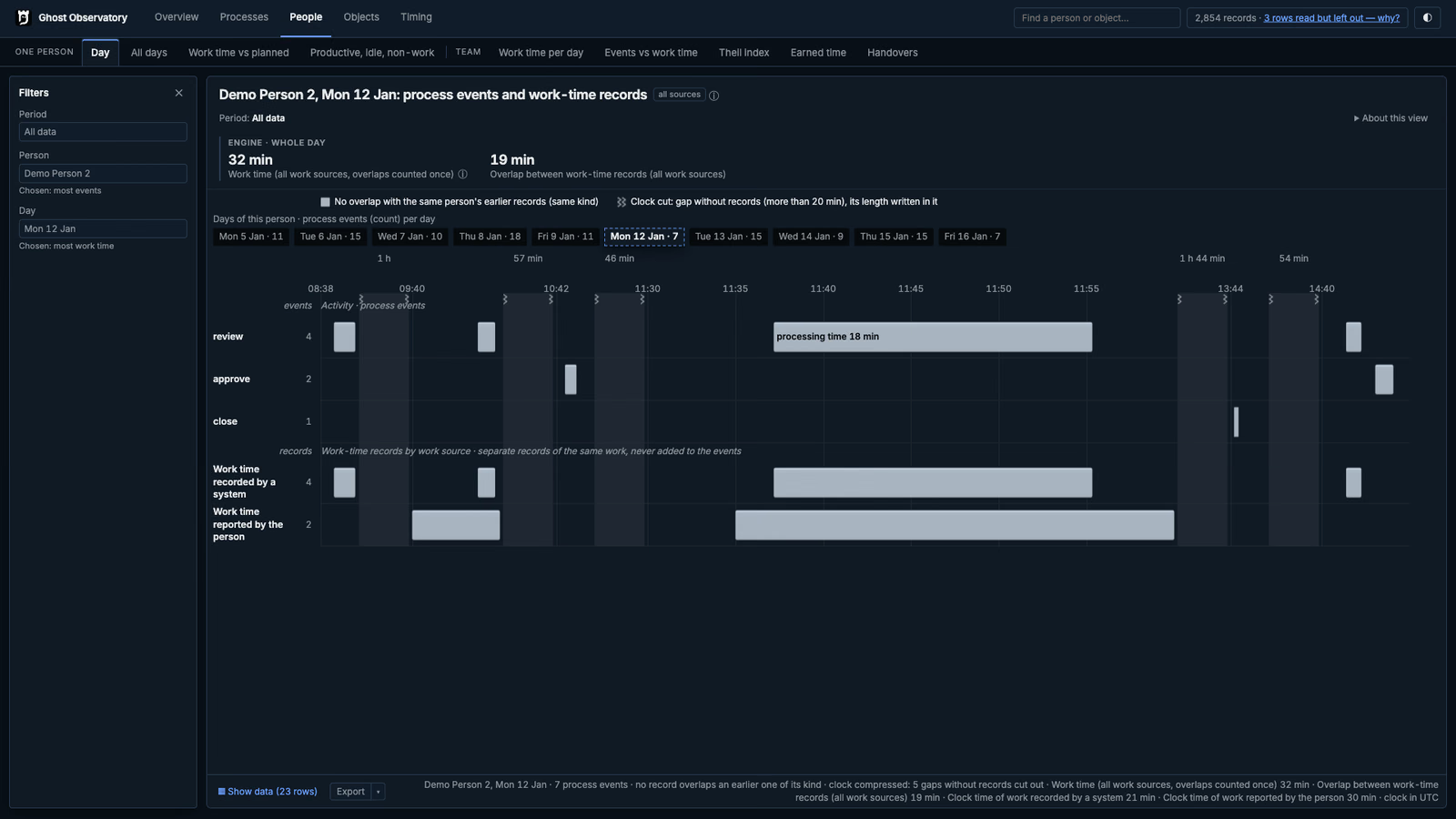
People · Day
Inspect one person’s process events and work-time records on the same day. System records, reported work, gaps and overlaps remain visible.
Inspect the screenshot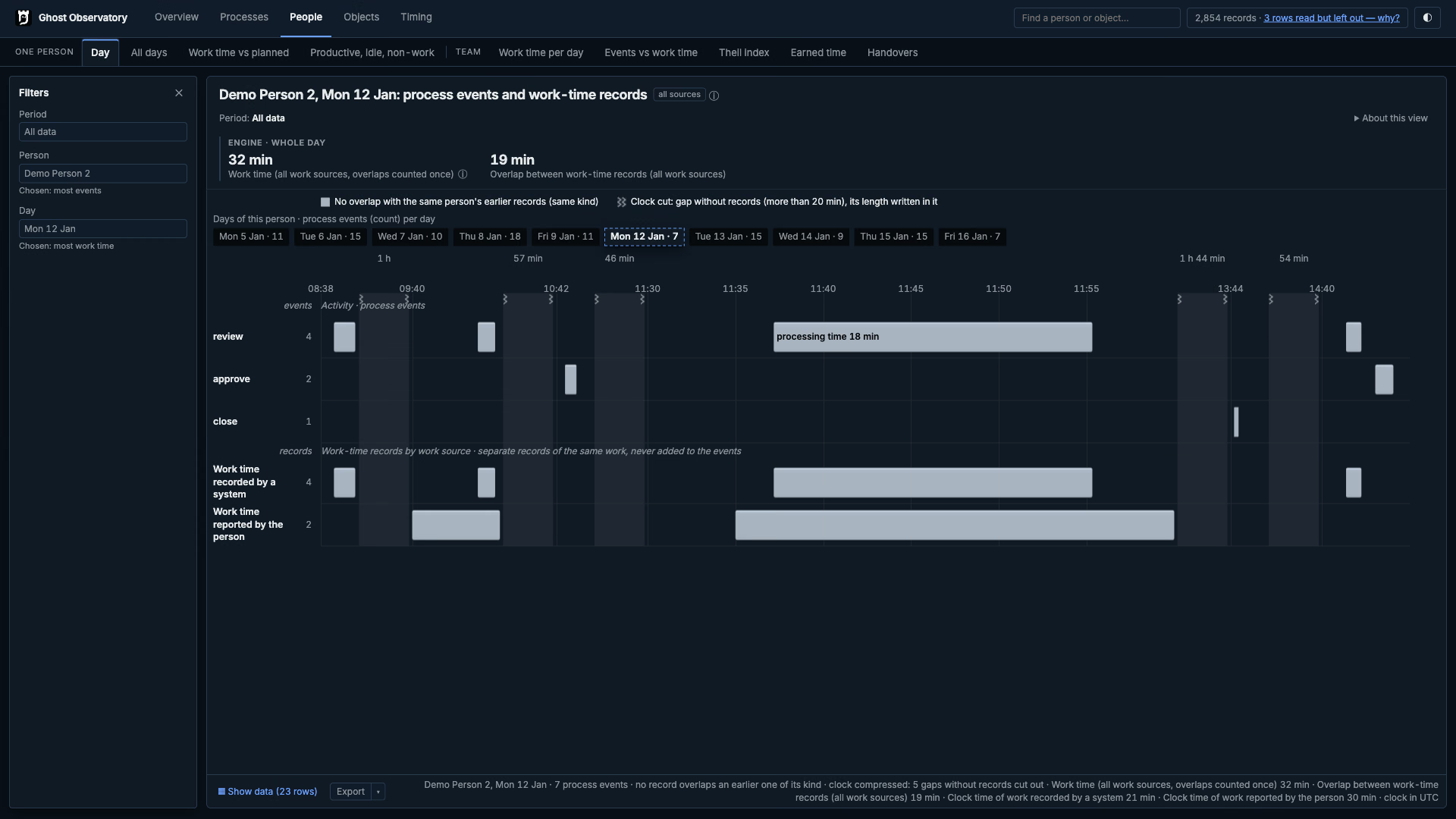
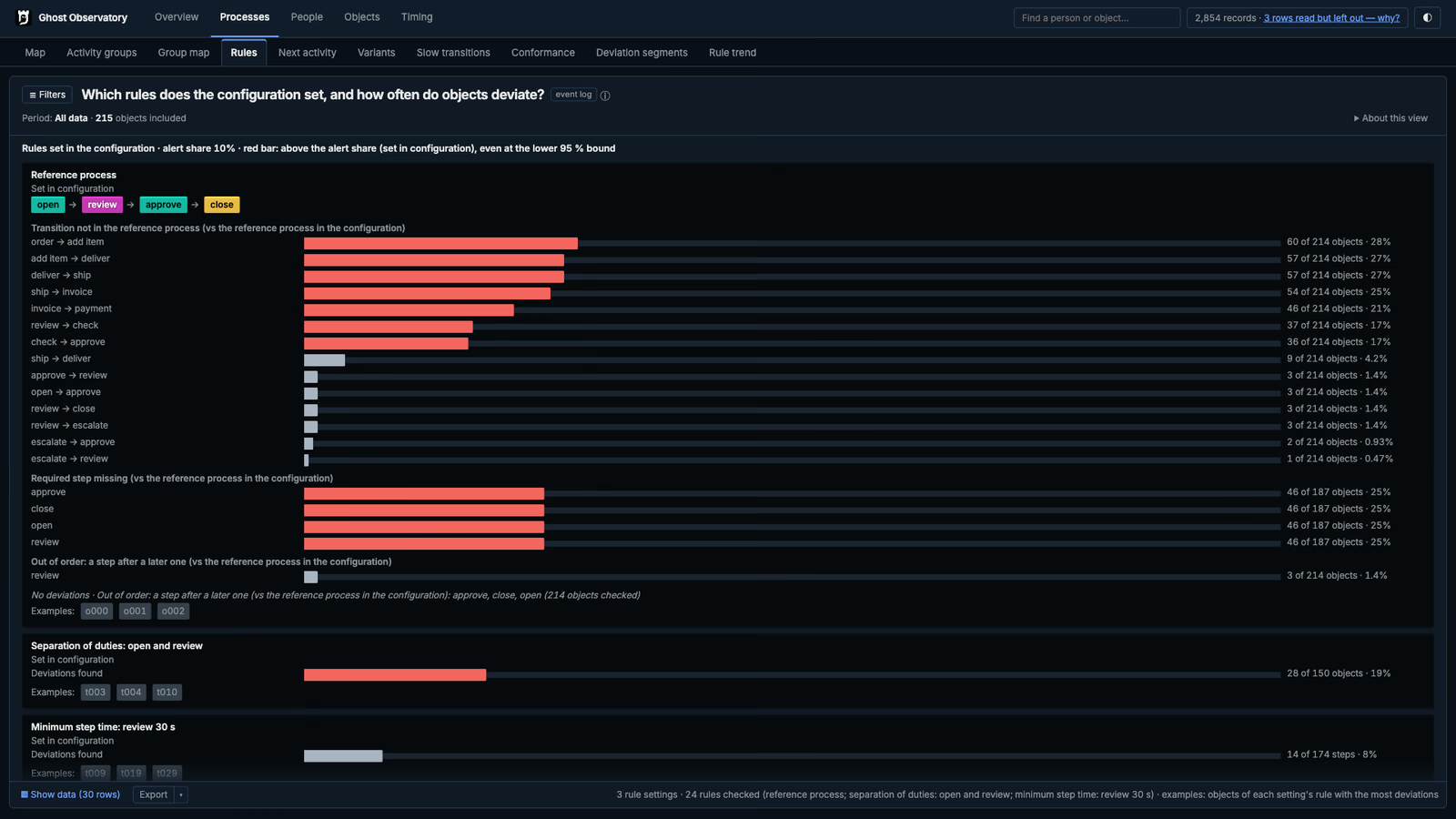
Processes · Rules
See which declared rules have deviations, how many objects or steps were checked and which records need inspection. The reference process and rule conditions stay in view.
Inspect the screenshot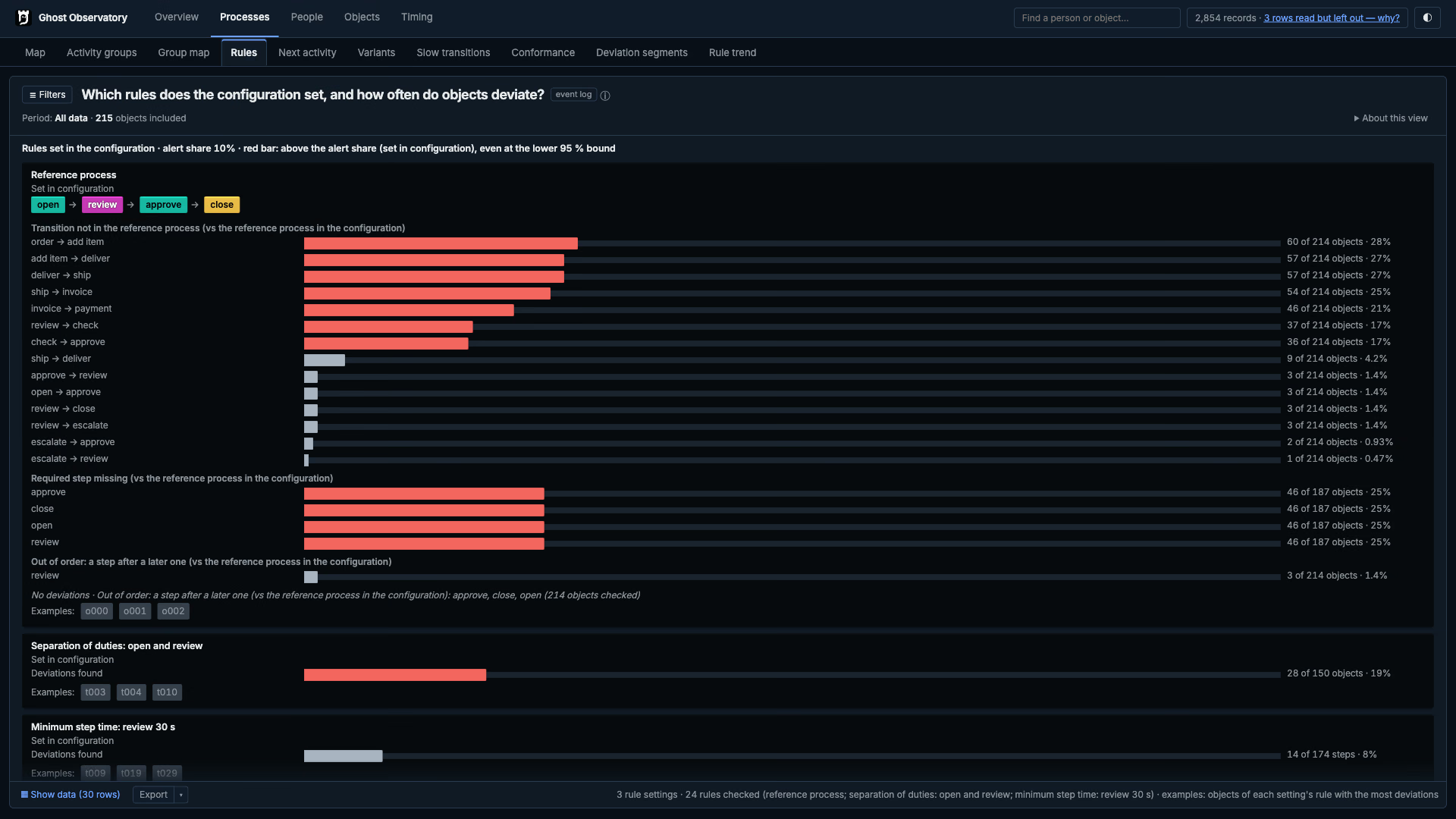
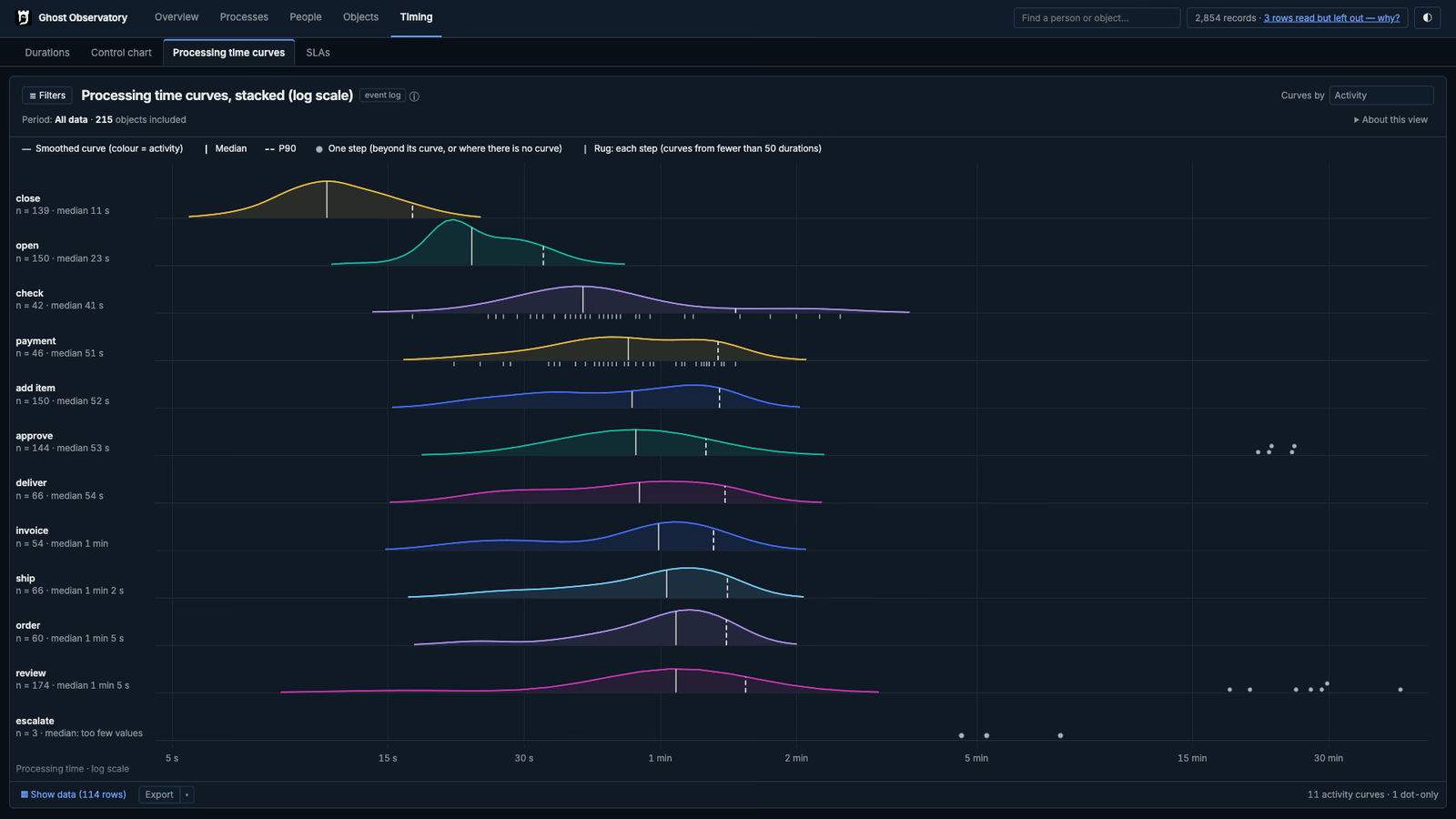
Timing · Processing time curves
Compare the shape and spread of processing times across activities. Median and P90 markers sit beside individual long-duration observations.
Inspect the screenshot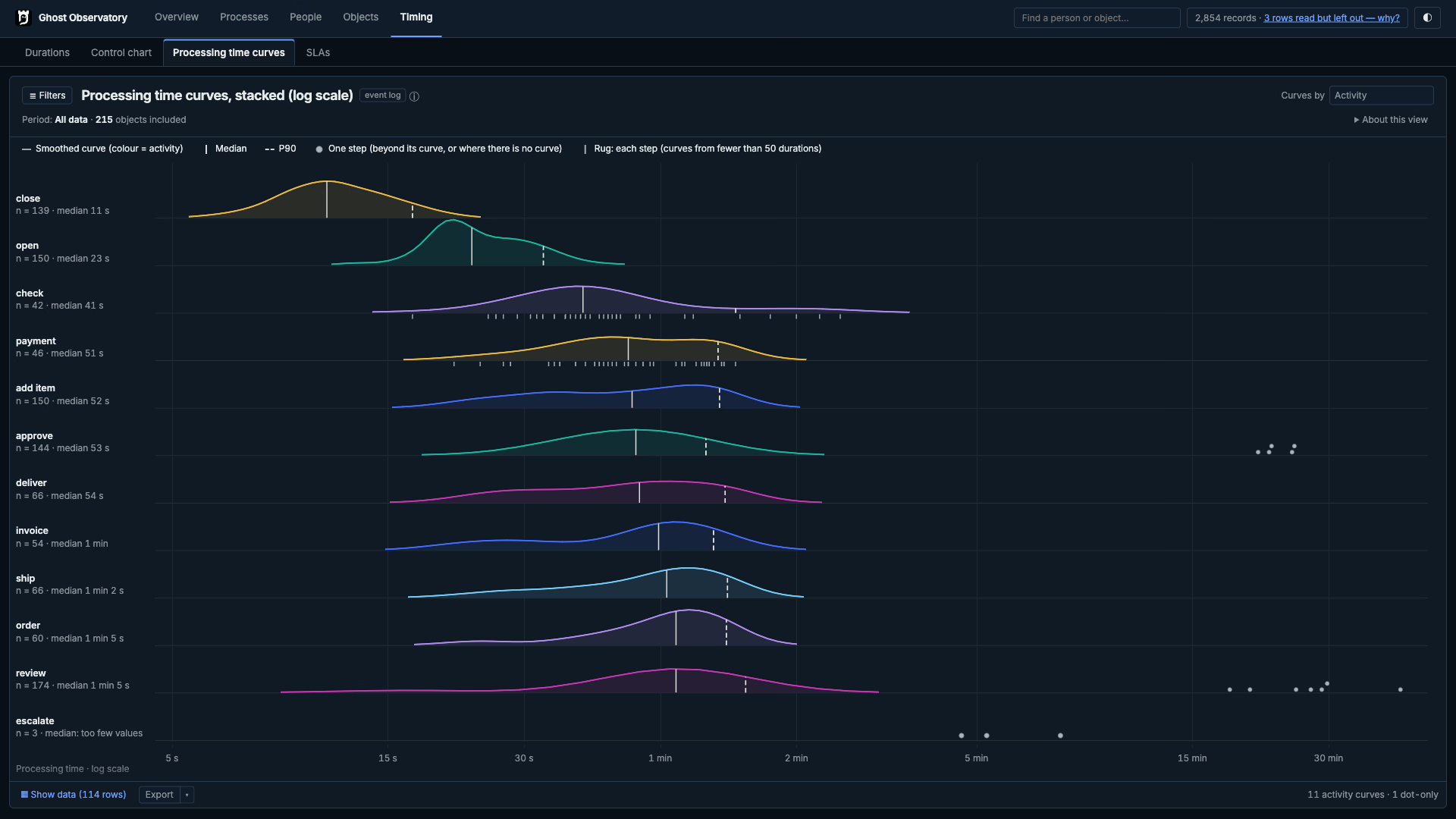
03 / Rules
The Engine calculates. The Reader presents.
Every published measure comes from the Engine. Every workspace uses the same definitions and results.
- 01
One source for every measure.
The Reader selects published rows. Medians, quantiles, indexes and path shares are calculated by the Engine.
- 02
Unknown stays unknown.
Missing values stay distinct from measured zeros. Unavailable results include the reason. Overview’s Data quality view reports accepted and excluded source rows, run status and warnings.
- 03
Filters follow the published analysis.
A filter is available only when the Engine has published the required aggregates. The Reader refuses filters that lack those results.
- 04
Checked before release.
Release checks open every view on each qualifying result file. A view that cannot render blocks the release.
04 / Where it runs
Local by default.
Your result file stays under your control. The Reader opens it read-only, runs locally by default and sends no process data to Ghost Citadel.
Security in full- Address
- 127.0.0.1, port 8765 unless you choose another.
- Public address
- A public deployment requires
--public-originwith its HTTPS origin, configured authentication and a trusted reverse proxy. - Authentication
- Basic, Bearer token or a header set by your proxy.
- Charts
- The Reader requires WebGPU. The screenshots above show the current development preview in dark mode.
- Browser
- A Chromium-based browser, version 143 or later, with working WebGPU.
- Programs
- The Reader has no interface for agents or scripts. Programs and language models call the Engine’s Python API or read the file.
Start the Reader from Terminal
$ observatory-reader out/observatory.sqlite
  # served at http://127.0.0.1:8765
$ observatory-reader out/observatory.sqlite --open-browser
$ observatory-reader out/observatory.sqlite --check
  # exit 0 or 2, no server
$ observatory-reader out/observatory.sqlite --allow-upload
  # local artifact replacement enabled, 64 MiB at most
05 / Next
Open a result file yourself.
The published sample is a plain SQLite file from Engine 18.6.0rc450 and can be inspected with a SQLite tool. The current Reader accepts results only from its paired Engine version.
Download the sample How it is built Follow one findingRead the values behind the views.
The Reader presents the Engine’s result. Use the workspace reference to locate a view, and the measure reference to understand its population and calculation.